Shadow Brush of Procreate: Adding Depth to Your Digital Art
Understanding the Handmade Appeal
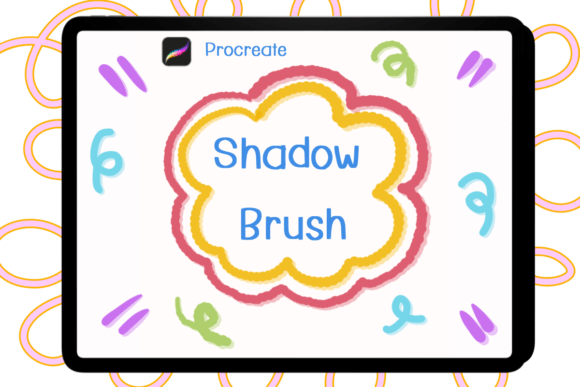
When you are working in digital design, the difference between a flat image and a piece of art with depth often comes down to lighting. The Shadow Brush of Procreate is a specialized tool created specifically to bridge that gap. Unlike standard brushes that are mass-produced or algorithmically generated, this collection is handmade. This distinction is vital for artists who want an organic, human touch in their work. The brushes are designed exclusively for the Procreate application on the iPad. They will not function in Photoshop, Illustrator, or other software, and they are optimized for the pressure sensitivity and tilt functions of the Apple Pencil.
The package you receive includes five distinct brush files within a single ZIP file. Installation is straightforward: once you download the file, simply select "open it" and choose Procreate for import. The brushes are ready to use immediately. The visual character of these tools leans into the texture of traditional media. They do not just apply a flat gray tone; they interact with the canvas to create realistic, tactile shadows that add volume to your illustrations. Whether you are a hobbyist working on personal sketches or a content creator building assets for a client, the ability to manipulate these brushes with color and opacity allows for a wide range of artistic expressions.
Practical Applications in Branding and Design
For designers and marketers, the value of a tool like the Shadow Brush of Procreate lies in its versatility. In the world of logo design and brand identity, depth is a powerful element. A flat, sans serif font logo might look clean, but adding a hand-rendered shadow can give it a 3D effect that catches the eye on social media feeds. Similarly, if you are working with a script font or a handwritten font, applying a subtle shadow can make the text pop off the background, improving readability against complex imagery.
Consider the needs of packaging design. Physical products need labels that feel premium. Using these shadow brushes to create depth on illustrations or typography can mimic the look of embossing or foil stamping without the printing costs. This creates a premium font aesthetic that communicates quality to the consumer. For editorial design and publishing, such as magazine covers or book jackets, these brushes help establish visual hierarchy. By using the brushes to shadow specific elements, you guide the reader's eye to the most important information first.
Enhancing Digital Assets and Social Media
In the fast-paced world of web design and social media graphics, standing out is difficult. Static, flat images often scroll by unnoticed. However, images that utilize light and shadow create a sense of realism that stops the thumb. Entrepreneurs and small business owners often struggle to create professional-looking content without a massive budget. The Shadow Brush of Procreate serves as a vital design asset in this scenario. It allows you to take standard modern typography or stock illustrations and add a layer of professional polish that mimics expensive rendering software.
You can use these brushes in any color to match your specific palette. If you are working on a dark-mode website design, you might use a shadow color that is darker than the background to create a recessed effect, or a lighter color to create a glowing effect. The ability to control opacity is equally important. A heavy shadow creates a grunge or bold style, perfect for streetwear brands or energetic music posters. A low-opacity shadow adds a subtle sophistication suitable for luxury brands or wellness blogs.
Typography and Texture Integration
While many creative font families come with their own built-in effects, applying the Shadow Brush of Procreate over a serif font or display font gives you custom control over the lighting direction. You can determine exactly where the light source is coming from. This is particularly useful when pairing different typefaces. If you have a font pairing that feels disconnected, adding a consistent shadow treatment across both fonts can visually bind them together, creating a cohesive brand identity.
For crafters who sell digital goods, such as printable planners or stickers, these brushes add a layer of realism to mockups. Instead of showing a flat sticker design, you can show how it might look on a physical surface by adding a cast shadow. This helps the customer visualize the final product, potentially increasing sales conversion.
Technical Considerations and Best Practices
Because the Shadow Brush of Procreate is a raster-based tool, it is important to work on a high-resolution canvas to ensure the texture remains crisp. When evaluating the fit of these brushes for your project, consider the "personality" of the brush strokes. They are handmade, meaning they have slight irregularities. This is a strength, not a weakness, as it adds character, but it may not be the right fit for a project requiring hyper-sterile, geometric precision.
When testing font pairings, try applying the shadow brush to only the header text or only the body text to see which creates the best hierarchy. Do not be afraid to experiment with colors other than black or gray. A neon shadow on a dark background can create a synth-wave aesthetic, while a pastel shadow can soften a design for a children's brand. Ultimately, this tool empowers you to move beyond flat design and explore the rich possibilities of light, shadow, and texture in your digital workflow.